Table of Contents
Before Ghost Kit Pro moved to Lemon Squeezy, it was sold through Paddle, with customer accounts on nkdev.info. Those subscriptions still renew through Paddle every year. This page applies to you if your receipt came from “Devoice LLC via Paddle” with the Paddle logo at the bottom, or from nkdev.info, whatever the date on it. Your card statement shows these payments as PADDLE.NET* NKDEV.INFO.
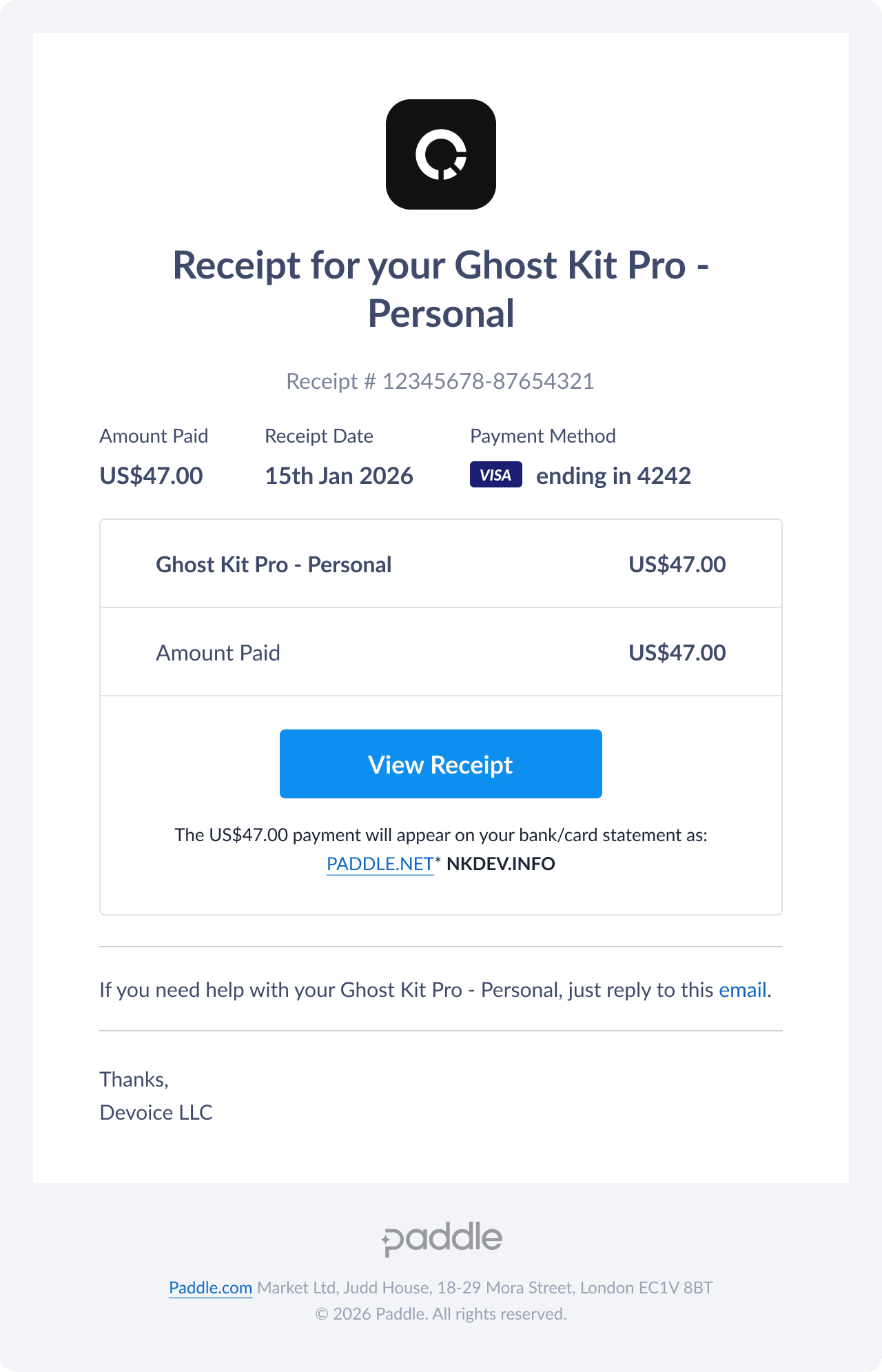
If your receipt has the Lemon Squeezy logo, see Installing Ghost Kit Pro instead. Not sure which one you have? Find your download shows both receipts.
Sign in
Go to nkdev.info/account and sign in with the email you paid with. If you never set a password, click Lost Password? on the sign-in form and set one.
If no account opens under any of your emails, write to us and list every email you may have paid with. We will find the order.
Download
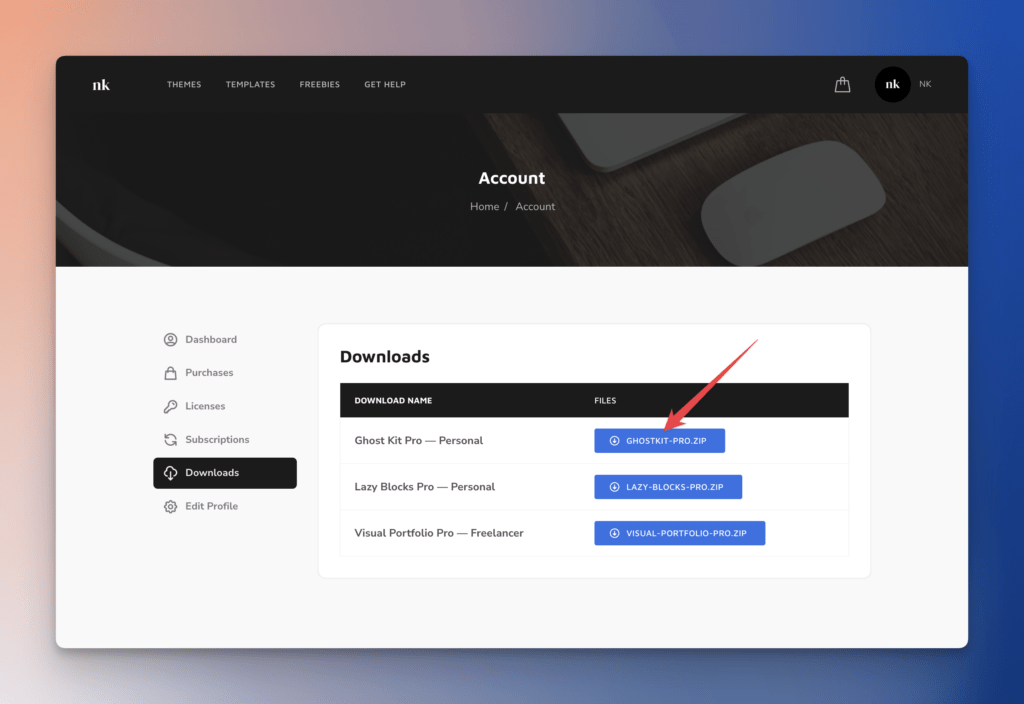
In the account, open Downloads and download the Ghost Kit Pro ZIP. Install it as described in Installing Ghost Kit Pro.
License key
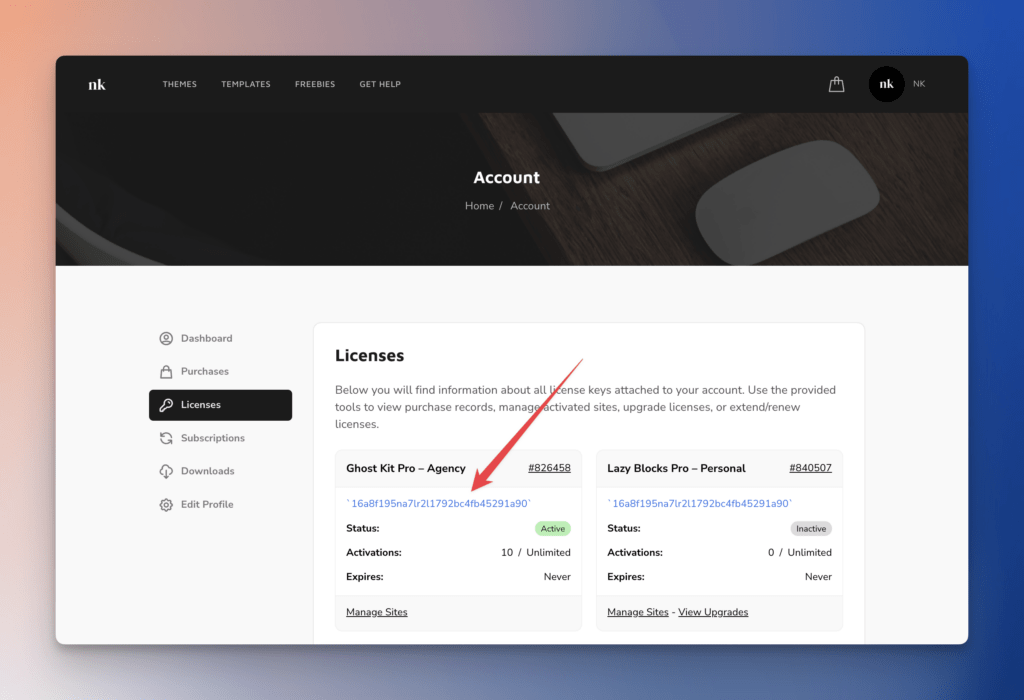
Open Licenses and copy the key. In WordPress, go to Ghost Kit → Updates, paste the key and click Activate License.
Renew
The subscription renews automatically each year through Paddle. If a renewal failed or was cancelled, the reminder email links to a checkout. Without the email, sign in, find the license under Licenses and click Renew Now.
Cancel
Open Subscriptions to see the renewal date and cancel the subscription. The license stays valid until the end of the paid year. If the subscription shows no cancel option, write to us and we cancel it.
Manage sites
Open Licenses, then Manage Sites on the key, to add or remove the site URLs it is active on. This is where to fix Download Failed: Unauthorized after a license was activated on a temporary URL.
Change the email
Write to us from the email the order was placed with and give us the new address.