Table of Contents
Installing Ghost Kit Pro takes a download, an upload and a license key. The download link and the key both arrive by email after purchase, and both are also on your Lemon Squeezy order page. Activating the license is what turns on automatic updates, so it is worth doing in the same sitting.
Where the download and the license key are depends on who sent your receipt:
- The Lemon Squeezy logo is at the top. Follow the steps on this page.
- It came from “Devoice LLC via Paddle”, with the Paddle logo at the bottom, or from nkdev.info. Your subscription started on Paddle and still renews there. See Licenses bought through Paddle.
Not sure which one you have? Find your download shows both receipts side by side.
Download from Email
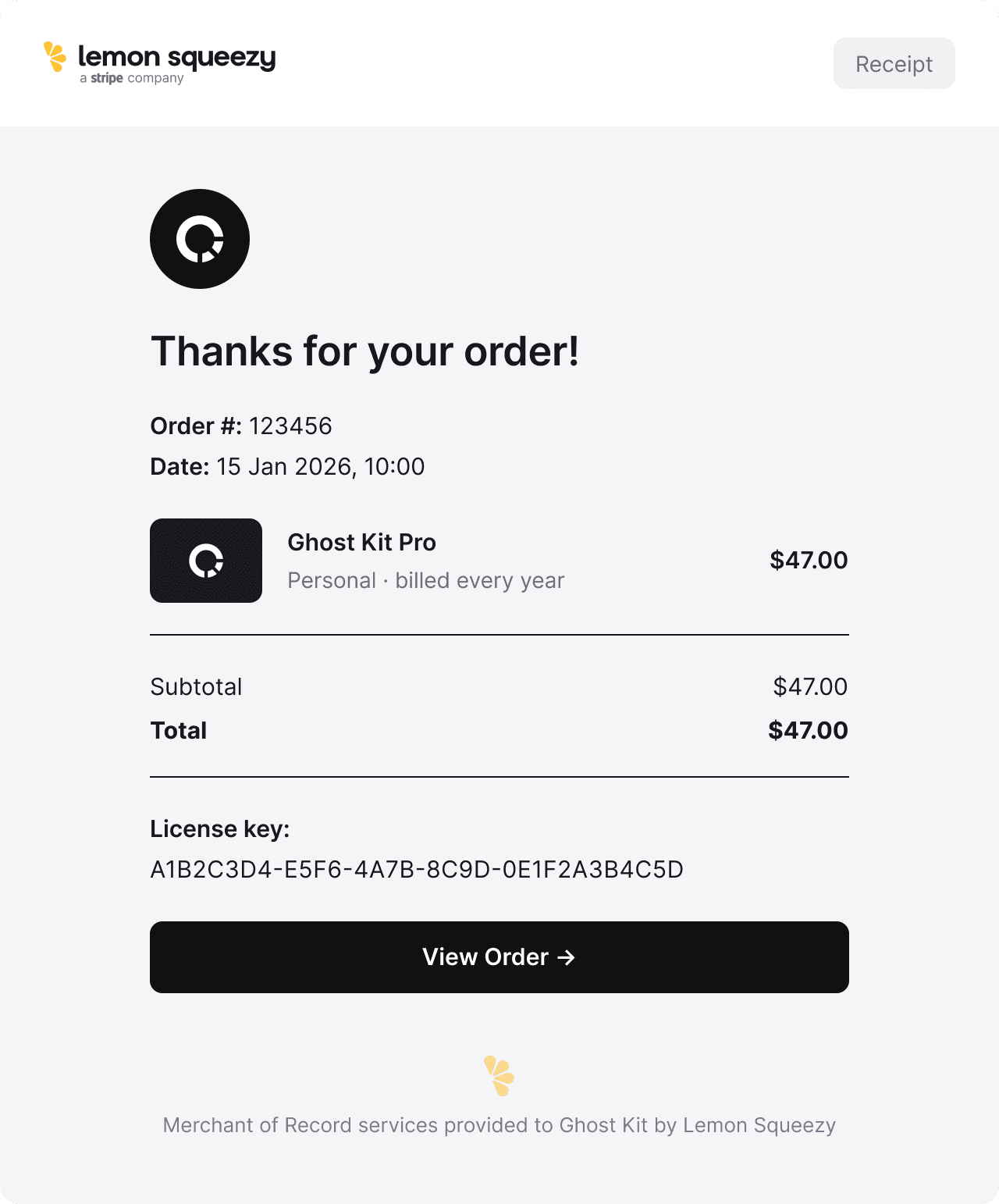
Once you’ve purchased the Ghost Kit Pro plugin, you will receive the full information about this purchase to your email. There will be a download link, license key and a link to your account page.
Just click on the link to download the plugin archive. In case if you can’t download it, follow the next step.
Download from Account
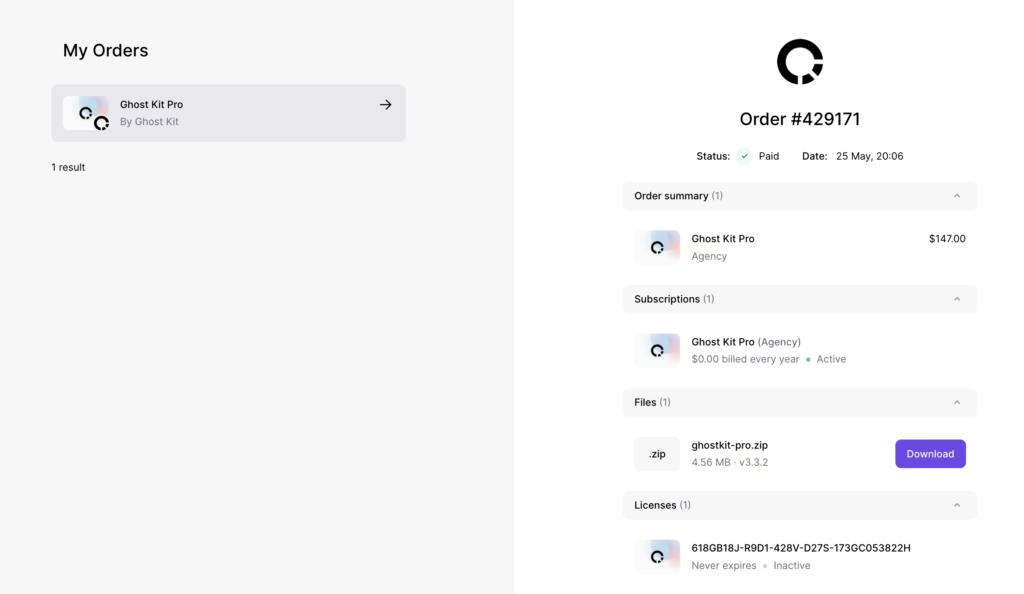
- After purchasing Ghost Kit Pro, go to your Lemon Squeezy orders
- Once logged in, you will see all your orders. Select the Ghost Kit Pro order page.
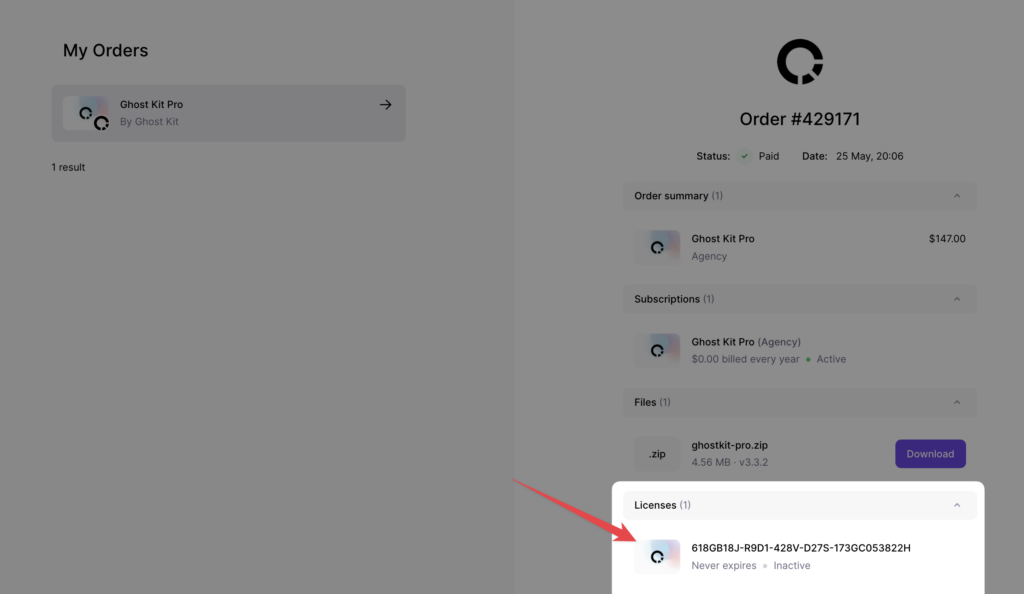
- On the right side you will see files to download and license key
Install
- Head over to your site, to the WordPress dashboard. Ghost Kit Pro 3.8.0 and later needs WordPress 6.6 and PHP 8.3 or newer.
- Open Admin Menu → Plugins and click on the Add New button
- Choose the zip file you have just downloaded. Click on install and activate
Activate
In order to receive automatic updates of the Pro plugin, you need to activate your license:
- After installing the Ghost Kit Pro, go to your Lemon Squeezy orders
- Select the Ghost Kit Pro order page.
- Copy the license key
- Head over to your site, to the WordPress dashboard, and click on Admin Menu → Ghost Kit → Updates
- Insert your license key and push the Activate License button
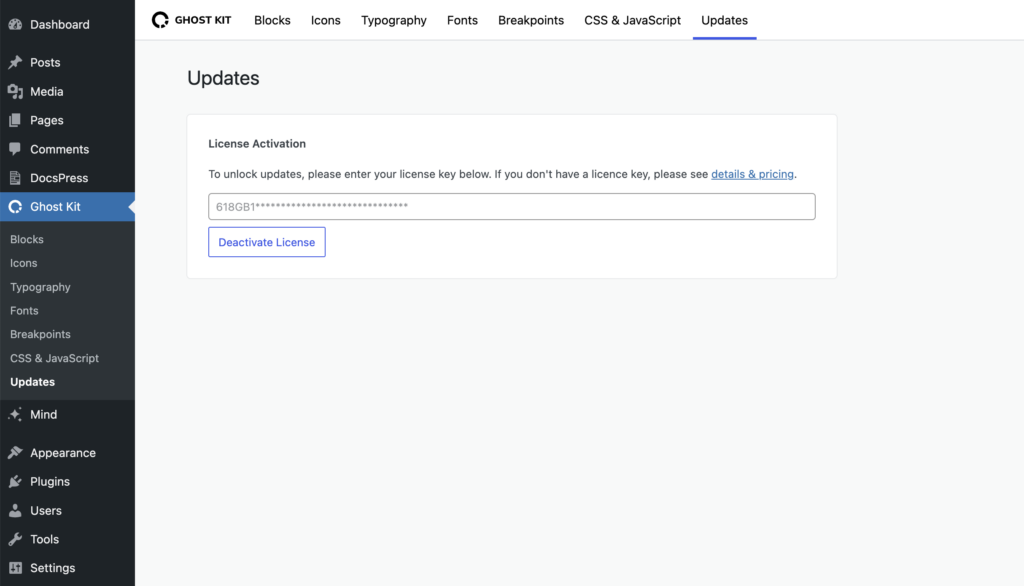
If you cannot find the key, the Where is my license key? link above the field opens a page that sends you to the right store for your receipt.